 EarLocAlert
Falling asleep on the work shuttle is the most natural thing in the world — early morning, a quiet bus, the same road every day. The catch: shuttles don’t announce stops.
Many stops have no name at all, and transit apps don’t carry the route. You’re left recognising your stop from the view out the window.
What you can try without an app
- Ask a colleague — reliable, but awkward to ask every day.
- Remember a landmark — a building or junction just before your stop. Doesn’t help once you’re asleep.
- A time alarm — shuttles leave on schedule, so it works better than on a city bus, until traffic gets in the way.
Shuttles need something that doesn’t rely on stop data
Most bus and subway arrival alerts need the route and stop data to work. Shuttles don’t have that data, so those features can’t help.
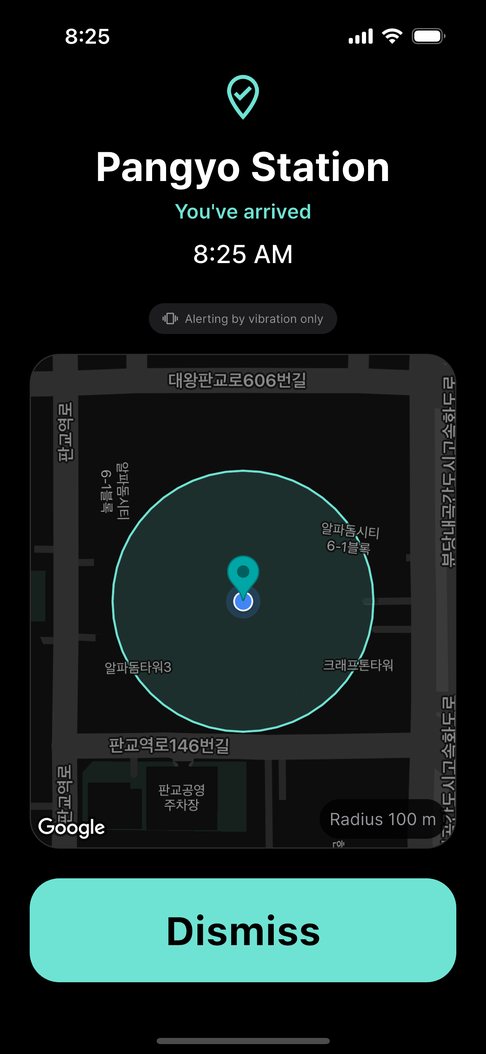
A location alarm works from a point you pin yourself on the map. The office gate, your dorm, the airport drop-off — unnamed places work just as well.
Setting it up in EarLocAlert
- Pin the exact spot where you get off — the office gate or the front of your dorm.
- Pick a radius so it wakes you a little before the shuttle stops. You choose while seeing the circle.
- Set days and hours so it rings only on weekday mornings and stays quiet at weekends.
- Several drop-offs? Save each one separately and switch them on or off individually.
FAQ
Does it work for shuttles that aren’t in any transit app?
Yes. It doesn’t use route data at all — only the point you pinned on the map. Unnamed stops are fine.
Do I have to turn it on and off every day?
No. Set days and hours once and it only alerts during that time.