 EarLocAlert
The moment an alarm goes off through the speaker in a quiet library, every head turns. Surprisingly often it happens even when you had earphones in.
That’s because, depending on the phone and the app, alarm sounds can play through the speaker even with earphones connected.
What you can try without an app
- Silent mode + a vibration alarm — blocks sound, but it’s based on time, so it can’t tell you when you arrive somewhere or leave.
- Smartwatch vibration — a quiet tap on the wrist. Set phone notifications to mirror to your watch.
The point is to never use the speaker
In a quiet place you don’t need a quieter sound — you need a guarantee that nothing comes out of the speaker. One leak is one too many.
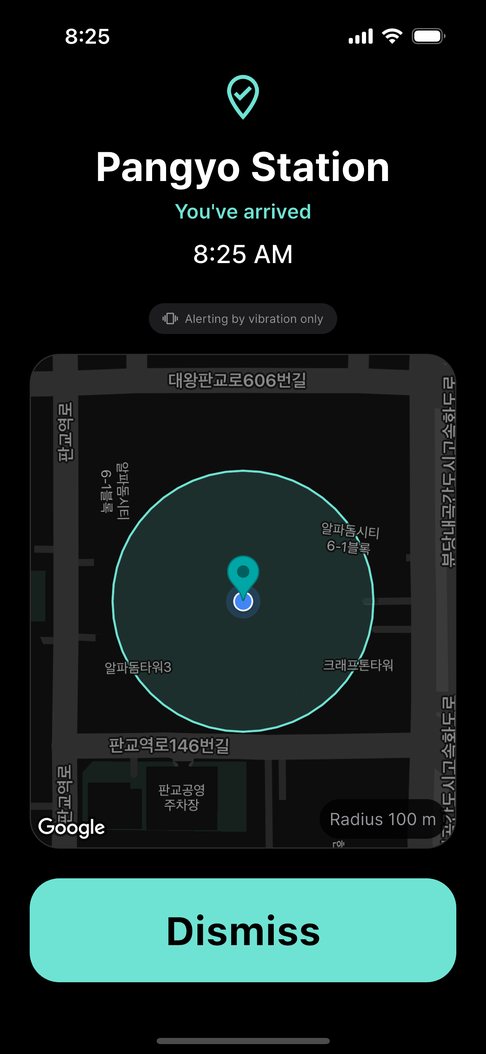
EarLocAlert checks connected devices against an allow list. It only plays sound through wired, USB-C or Bluetooth earphones; if it can’t confirm them, it only vibrates. Devices that play out loud, like car audio, aren’t on the list.
Using it in quiet places
- You can also get an alert when you leave the library or office — save it as a departure alert if there’s something to remember on the way out.
- Choose Light, Medium or Strong vibration to suit where you are.
- Mirror phone notifications to a Galaxy Watch or Apple Watch to feel alerts on your wrist.
FAQ
What if my earphones disconnect?
If earphones can’t be confirmed at the moment of the alert, it only vibrates. It never switches to the speaker.
Is it free?
Downloading and the basics are free: one place, the default alerts, and ads. A one-time Pro purchase adds more places and removes ads. Ads never appear on the screen that is alerting you.